GenAero Studio Documentation
GenAero Studio is an operation-aware wing design workspace. It connects route-level mission data, cluster-based multipoint aerodynamic design, and physics-guided generative design into a three-step workflow:
- select or upload flight routes,
- extract representative multipoints and define the design problem,
- generate, inspect, and compare candidate wings.
The current Studio version is available at:
http://43.99.49.127.sslip.io/studio/
Method Background
This documentation follows the workflow and terminology from two related papers:
- Aobo Yang, Yuan Lyu, Jichao Li, and Rhea P. Liem, "Operation-aware Aircraft Wing Design using Cluster-based Multipoint Aerodynamic Shape Optimization," Journal of Aircraft, 2025. DOI: https://doi.org/10.2514/1.C038291
- Aobo Yang, Zhen Wei, Rhea P. Liem, and Pascal Fua, "Physics-guided generative design with gradient-based source-space optimization on flow matching," Structural and Multidisciplinary Optimization, 2026. DOI: https://doi.org/10.1007/s00158-026-04318-6
The first paper motivates the operation-aware formulation: instead of optimizing a wing only at a nominal cruise point, the design problem should reflect how the aircraft is actually used across many routes and flight conditions. The second paper motivates the generative paradigm: instead of returning only one optimized design, a physics-guided generative model can propose multiple feasible, high-performance candidates while using surrogate aerodynamic prediction to guide the generation.
Aircraft Design Problem
The Studio presents a simplified aircraft wing design problem for early-stage exploration. The objective is:
Minimize weighted drag count
The weighted drag count is evaluated across the active representative multipoints. Each multipoint has a flight condition and a weight, so the objective reflects the operational mission distribution rather than a single design point.
The user-facing problem definition is intentionally compact. Instead of asking a new user to edit every low-level bound, the interface exposes variable categories:
| Category | Meaning |
|---|---|
| Aspect ratio | Span and chord-scale changes. |
| Sweep | Wing sweep, dihedral, and kink movement. |
| Twist | Spanwise twist distribution. |
| Camber | Airfoil camber distribution controls. |
| Thickness | Relative thickness and root thickness-to-chord controls. |
The backend maps these categories to the appropriate internal wing design variables. This keeps the open-source interface readable while preserving the connection to AeroTransformer/SuperWing-style wing parameterization.
The constraints are also exposed as simple switches:
| Constraint | Meaning |
|---|---|
| CL constraints | Match the target lift coefficient at each active GMM multipoint. |
| CM constraint | Enforce a nominal pitching moment lower bound for stability. |
In the research formulation, geometric constraints such as thickness, volume, leading-edge, and trailing-edge consistency are also important. In the Studio, these are treated as backend safety constraints or implicit feasibility checks so that the front-end problem remains understandable.
Mission Analysis
Operation-aware design starts from flight missions, not from isolated aerodynamic points. For every selected route, the Studio estimates a route-level mission and uses the resulting operating envelope to define the aerodynamic design problem.
The mission analysis concept follows a segment-by-segment view of flight: takeoff, climb, cruise, descent, and landing. Cruise usually dominates fuel burn for long missions, but full-mission information is still useful because short- and medium-haul operations spend a meaningful fraction of time outside steady cruise. The Studio therefore treats the selected route network as a distribution of operations rather than a single cruise condition.
Each route contributes approximate mission information such as distance, flight demand, payload/load factor assumptions, altitude, Mach number, angle of attack, lift coefficient, and estimated weekly fuel burn. These mission samples are then used to build the multipoint design set.
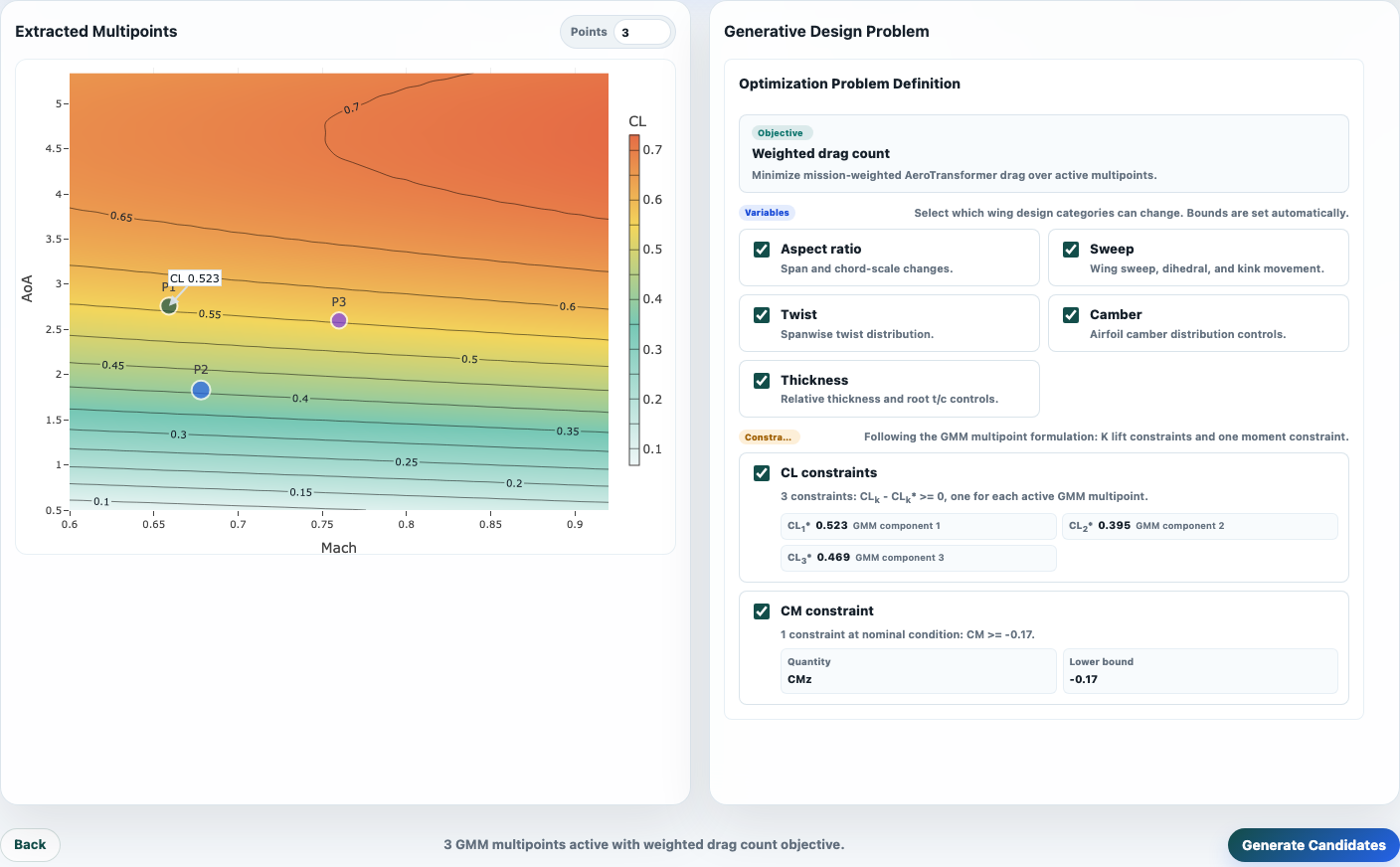
GMM Multipoint Extraction
The Studio uses Gaussian mixture model clustering to summarize the mission distribution. The user chooses the number of multipoints, and the system extracts representative flight conditions:
- each GMM component gives one representative multipoint,
- the component mean gives the representative Mach/AoA/CL condition,
- the component weight gives the importance of that condition in the weighted drag objective.
This follows the idea of cluster-based multipoint aerodynamic shape optimization: use data-driven clusters to select operating points and weights, rather than choosing points manually or assigning equal weights.
Generative Design Paradigm
Classical optimization usually returns one optimized shape after solving a fixed objective. GenAero Studio is designed around a generative workflow: it returns a set of candidate wings that can be inspected, compared, and refined.
The generative design paradigm is:
- encode the design problem from mission-derived multipoints,
- sample candidate wing geometries from a learned design distribution,
- guide or rank candidates with aerodynamic surrogate predictions,
- filter candidates with feasibility checks and constraints,
- let the user inspect multiple alternatives rather than only one optimum.
This reflects the physics-guided generative design idea in the Dflow-SUR paper: generation should remain on a plausible design manifold while physical prediction guides the candidates toward better aerodynamic performance. In the Studio, AeroTransformer-style predictions provide fast feedback for weighted drag, lift, moment, and pressure visualization.
Studio Workflow
Step 1: Flight Routes
The first screen defines the operational scenario. Users can choose a preset route network or upload a custom route file. The map colors routes by estimated weekly fuel burn, so high-impact missions are visually emphasized.
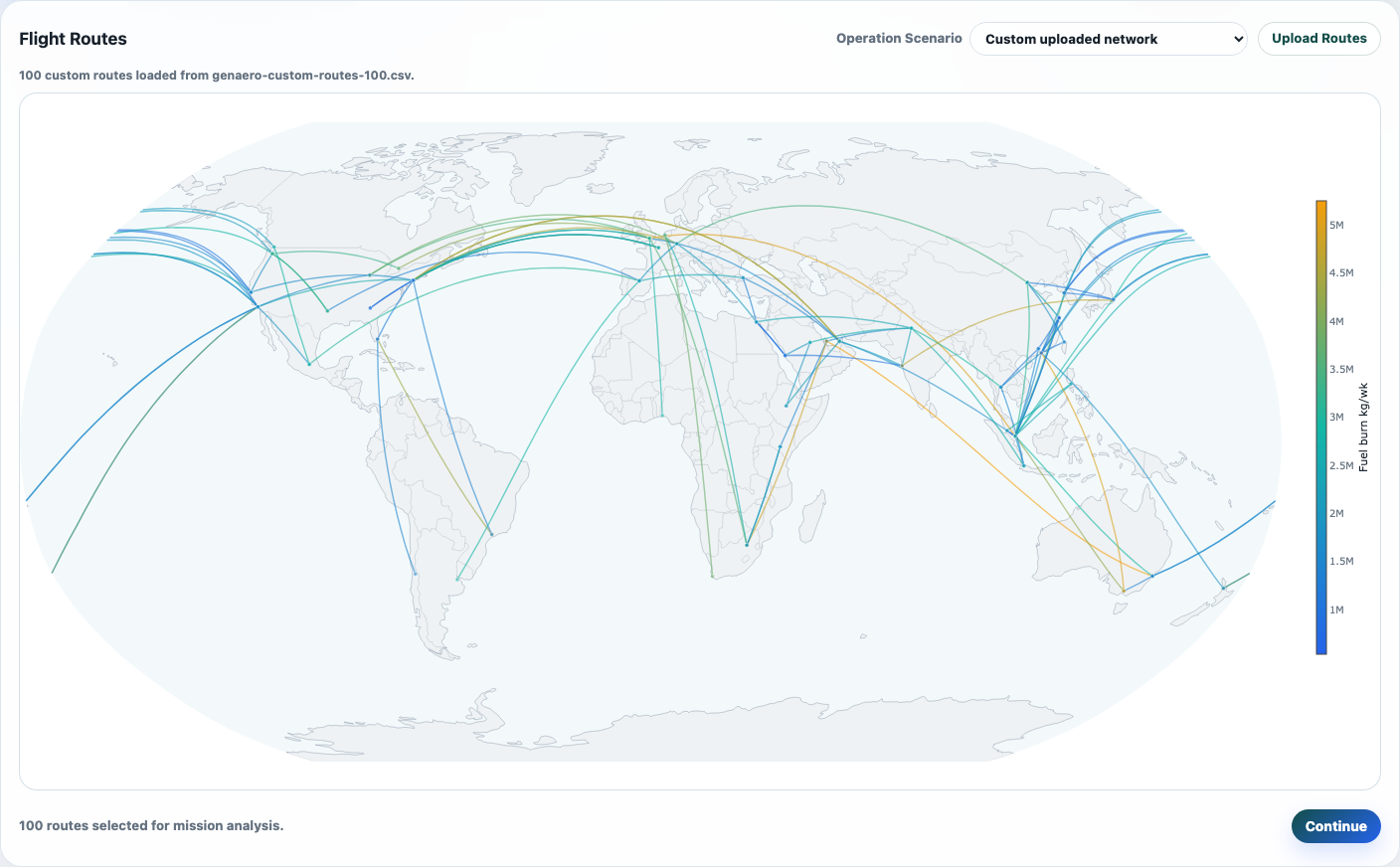
Supported route upload formats:
.csv.json
Recommended CSV columns:
| Column | Description |
|---|---|
origin |
Origin airport or city label. |
destination |
Destination airport or city label. |
origin_lat, origin_lon |
Origin coordinates. |
destination_lat, destination_lon |
Destination coordinates. |
flights_per_week |
Weekly flight frequency. |
distance_km |
Route distance, if known. |
fuel_burn_kg |
Optional direct fuel-burn estimate. |
If fuel_burn_kg is missing, the Studio estimates fuel burn from distance and flight demand.
Step 2: Multipoints & Problem
After route selection, the Studio performs mission analysis and extracts GMM multipoints online. The user can set the number of multipoints directly. The optimization problem definition is simplified into variable categories and constraint switches.
The intended use is not to expose every optimizer-level bound. Instead, the interface asks: which families of wing variables should be allowed to move, and which aerodynamic constraints should be enforced?
Step 3: Generated Candidates
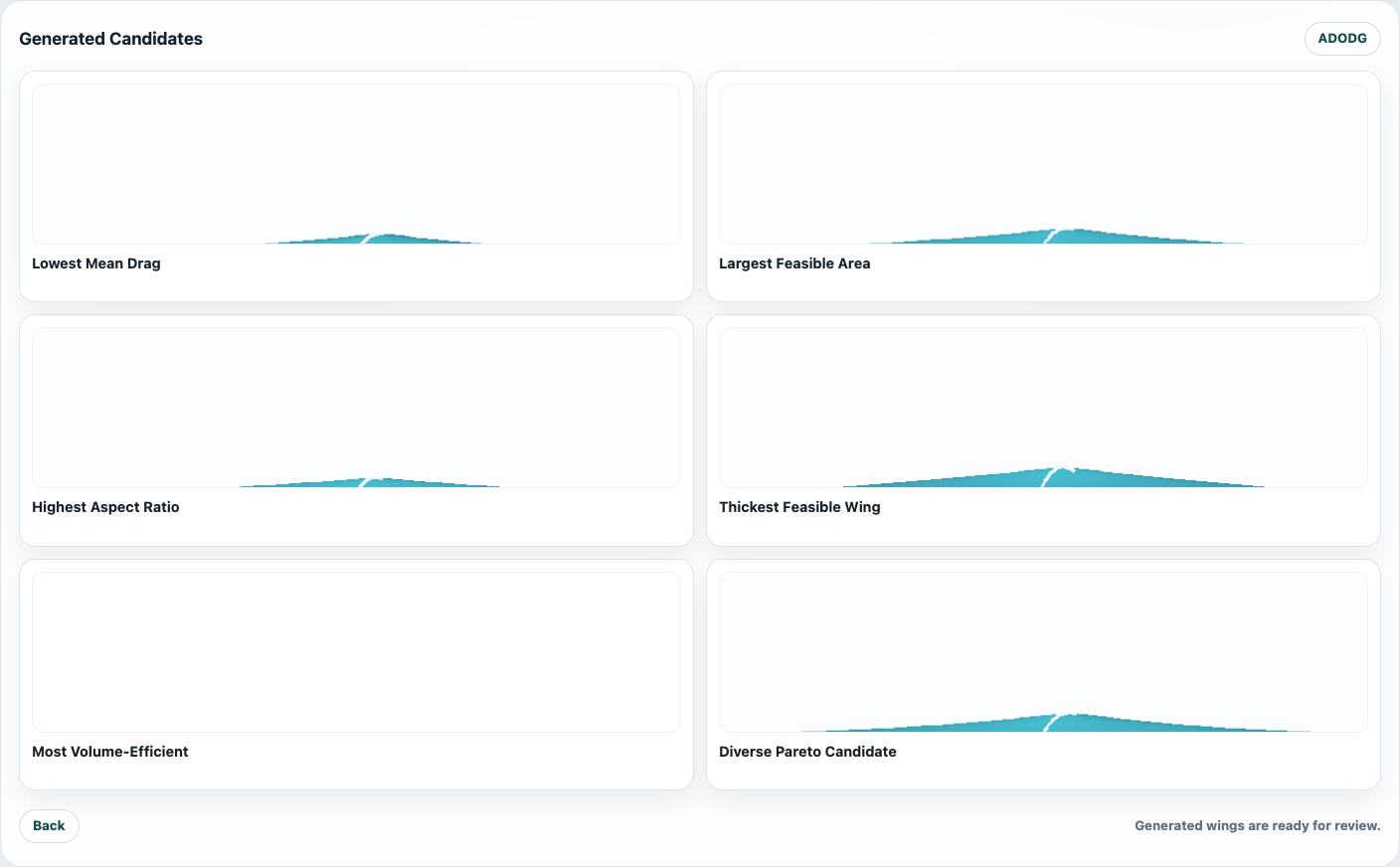
The final screen shows candidate wings generated for the selected operation-aware problem. The gallery is meant for comparison: low weighted drag, larger feasible area, higher aspect ratio, thicker feasible wing, volume-efficient alternatives, and diverse Pareto-like candidates.
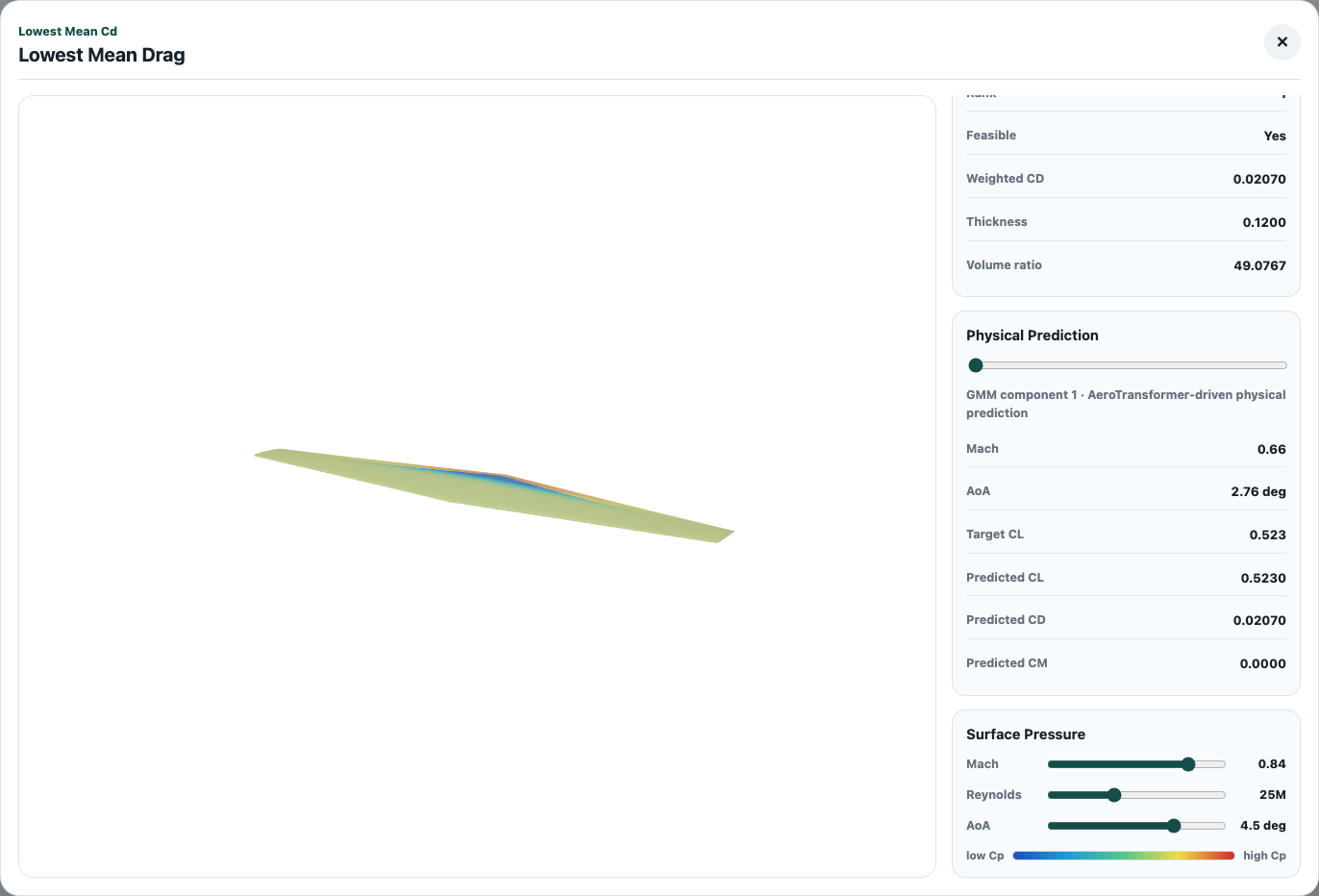
Opening a candidate shows the 3D wing, predicted aerodynamic values, and an interactive surface-pressure contour. Mach number, Reynolds number, and angle of attack can be adjusted to inspect how the pressure field changes.
Outputs
The Studio output should be interpreted as a fast design exploration result:
| Output | Interpretation |
|---|---|
| Candidate wing geometry | A generated wing shape matching the selected problem definition. |
| Weighted CD / drag count | Mission-weighted aerodynamic score across active multipoints. |
| CL and CM prediction | Fast physical prediction used for feasibility and comparison. |
| Thickness / volume metrics | Geometry feasibility and packaging indicators. |
| Pressure contour | Interactive qualitative pressure-field visualization for selected flight conditions. |
For publication-quality design validation, generated candidates should still be checked with higher-fidelity CFD and full mission analysis.
Recommended Usage
Use GenAero Studio for early-stage operation-aware exploration:
- upload or select a route network,
- start with 3 to 8 multipoints for a readable first study,
- enable the wing variable categories relevant to the design question,
- keep CL and CM constraints enabled for physically meaningful candidates,
- compare several generated wings before selecting candidates for higher-fidelity analysis.
For collaborators, the shortest explanation is:
GenAero turns a flight-route network into a mission-weighted multipoint wing design problem, then uses physics-guided generation to propose candidate commercial aircraft wings for inspection.